Cisco + Axis in Meraki: What Changes When Camera Lifecycle Management Moves Into IT Infrastructure
A technical look at onboarding, cloud relationships, firmware, diagnostics, licensing boundaries, and where the VMS still fits.
IP cameras have been network devices for years. They rely on Ethernet switching, VLANs, PoE, IP addressing, routing, firewall policy, and upstream connectivity just like many other connected endpoints. Operationally, however, the camera itself has usually remained inside a separate management environment built around manufacturer tools, a video management system, or security-specific workflows.
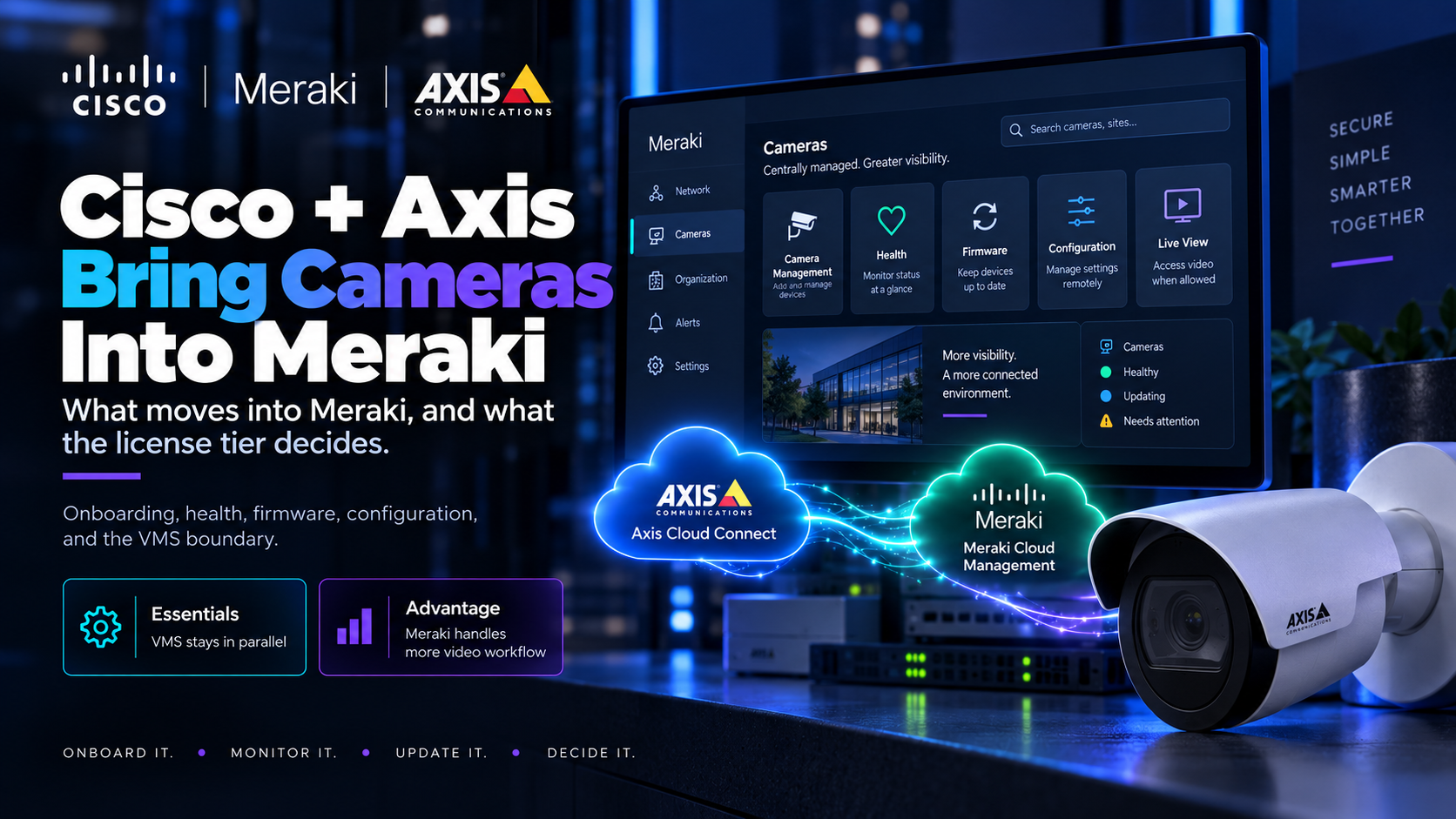
The Cisco and Axis integration changes part of that boundary. Supported Axis cameras can now be brought into the Meraki environment for onboarding, health monitoring, firmware management, diagnostics, selected camera configuration, and, depending on the license tier, parts of the video workflow itself. Cisco made the Essentials tier available in April, followed by Advantage in June, so the more useful question is no longer when the integration appeared, but what actually changes when camera lifecycle management starts moving into the same cloud platform used for broader IT infrastructure.
The important architectural question is not whether Meraki can display an Axis camera. It is which parts of the device lifecycle move into Meraki, which remain with Axis, and how the selected license tier changes the relationship with an existing VMS.
Cameras Were Already on the IT Network
In many deployments, the network team already owns the infrastructure around the camera. It may know which switch port the device uses, which VLAN it belongs to, how much PoE capacity it consumes, and whether the endpoint is reachable. The physical-security team, meanwhile, may manage the actual camera through a VMS, an Axis utility, or the device's local interface.
That separation between network ownership and device lifecycle is what makes this integration technically interesting. Cisco and Axis are not simply placing another video window inside a network dashboard. They are moving part of the operational lifecycle of a specialized edge device into a broader cloud-managed infrastructure environment.
For engineers outside physical security, the distinction is similar to the difference between providing connectivity to an endpoint and bringing that endpoint into a fleet-management system. Once onboarding, health state, firmware, diagnostics, and selected configuration become visible from the infrastructure platform, the management model begins to change even though the underlying camera is still an Axis device.
A Cisco switch is not required for the integration itself. Where Meraki switching is present, however, it can add automatic discovery and topology context around the camera. The camera therefore becomes easier to relate to the physical network around it, but that network context is an additional benefit rather than the foundation of the integration.
How the Meraki-Axis Management Relationship Works
The integration is built around Axis Cloud Connect. Supported Axis cameras establish their Axis cloud relationship, and Meraki is authorized through a one-time OAuth 2.0 process. Cisco currently documents roughly 90 compatible Axis camera models, primarily devices based on ARTPEC-8, ARTPEC-9, or CV25 platforms. AXIS OS 9.8 is listed as the minimum supported version, while AXIS OS 11 or later is recommended.
A Meraki application also runs on the camera itself, while Axis Cloud Connect remains the underlying device-cloud platform. That distinction matters because the architecture is not a simple transfer of control from Axis to Cisco. Meraki becomes another management client within an environment where Axis cloud services and device-level Axis functionality continue to exist.
From Meraki, supported cameras can be claimed, monitored for connectivity and health, checked for firmware status, and have firmware updates initiated. The platform also exposes network-level troubleshooting functions including ping, traceroute, packet capture, and remote reboot. Cisco additionally documents a subset of camera configuration through Meraki, including zoom, aperture, focus, and PTZ positioning, with further video and analytics settings available under the higher licensing tier.
The boundary is equally important. Not every Axis function is exposed through Meraki, and Cisco's own support documentation continues to direct administrators to the local Axis interface for some diagnostics and camera-specific work. Axis also remains responsible for a number of device-level support questions. The practical result is a layered management model rather than a complete replacement of the existing one.
Licensing Defines the VMS Boundary
The most consequential architectural difference appears when the Essentials and Advantage tiers are separated. The license does not merely determine how many features appear in a dashboard. It changes how far Meraki extends into the video-management layer.
Essentials
With Essentials, Meraki provides lifecycle management around the supported Axis camera and also includes live video. Cisco describes an existing VMS as continuing to operate in parallel. This allows an organization to introduce Meraki-based onboarding, monitoring, firmware management, and troubleshooting without requiring the existing video-management architecture to disappear.
That separation is important in an established environment. Adding another management plane around the camera is architecturally different from replacing the application responsible for recorded video and the broader VMS workflow. Under Essentials, those responsibilities can remain separated.
Advantage
Advantage moves the boundary further. It adds historical playback, video export, retention and quality settings, person and vehicle event search, motion-based alerting, heatmaps, and storage options that include local SD recording or Cisco's 30-day cloud storage offering.
Cisco describes Meraki as the "exclusive VMS" when Advantage is used. That wording should be taken seriously, but it should not be extended beyond what Cisco has documented. Cisco also advises customers to verify and test existing third-party integrations before moving to Advantage, and the public material reviewed for this integration does not document the technical mechanism by which that exclusivity is enforced.
The engineering implication is therefore clear even without assuming undocumented behavior. Moving from Essentials to Advantage changes the expected ownership of the video workflow. Licensing becomes part of the system architecture because it affects which platform is responsible for functions that may previously have belonged to a separate VMS.
Provisioning Starts to Resemble Managed IT
The onboarding model also begins to resemble the way cloud-managed IT infrastructure is commonly deployed. Cisco supports pre-staging cameras in Dashboard before they are physically online. A camera can be claimed while offline and retrieve its configuration after it connects, allowing part of the organizational relationship to be prepared before field installation is complete.
Where Meraki switching is also present, discovery can help identify the camera and show where it sits in the network topology. From an operational perspective, the workflow starts to look less like configuring an isolated security appliance and more like onboarding a managed endpoint into an existing organization.
That does not make the process completely zero-touch. Device-side activation, Axis credentials, and local access can still be involved depending on the onboarding path, and the local Axis interface remains relevant after deployment. The integration can reduce commissioning friction and centralize more of the lifecycle, but it does not eliminate the device-level dependencies underneath that lifecycle.
This distinction matters during handover. A system may feel more centralized from the operator's perspective while still depending on multiple platforms, identities, and support boundaries behind the interface. The commissioning process becomes simpler in some areas, but understanding where each dependency lives remains an engineering responsibility.
Cloud Management Creates New Operational Boundaries
Bringing more of the camera lifecycle into a cloud-managed platform does not remove architecture. It creates additional relationships that must be understood. The camera participates in Axis Cloud Connect while Meraki becomes another management client, which means outbound Internet connectivity and the documented firewall requirements become part of the deployment rather than incidental network details.
Authentication and organizational ownership also become operational design questions. Someone must own the Axis relationship, the Meraki organization, the administrative permissions, the firmware policy, and the handover process between teams. Cloud availability becomes relevant because more management functions now depend on services outside the local network.
Firmware is a useful example of why centralization does not eliminate governance. Meraki can display firmware status and initiate updates, and Cisco documents automatic firmware behavior in parts of the integration. The available documentation, however, does not fully describe every firmware-track policy behind that automation. An organization therefore still needs to understand how its own change-management expectations interact with the behavior of the cloud-managed system rather than treating firmware automation as a simple checkbox.
Permissions create a similar boundary. Meraki Dashboard and the Vision Portal use the same permission model. That can simplify administration, but it also means the authorization model around the infrastructure platform now governs access to camera-management and video functions. Role design, support access, and operational handover therefore become part of the security architecture around the camera environment.
The Real Architecture Question Is Ownership
The significance of the Cisco and Axis integration is not that a network platform can display a security camera. The more important change is that onboarding, health, diagnostics, firmware operations, selected camera configuration, and potentially substantial parts of the video workflow can now exist inside the same cloud environment used to manage other infrastructure.
That makes ownership more important than connectivity. A design using this model has to answer which functions remain on the camera, which remain with Axis, which are managed from Meraki, and which still belong to a separate VMS. It also has to define who owns firmware policy, cloud credentials, administrative permissions, device onboarding, and operational handover.
Those boundaries become particularly important when a license tier changes how far the management platform extends into the video system itself. A camera can be reachable on the network while an application-layer function is unavailable, and the team responsible for resolving that problem may depend on which management layer is involved.
For years, camera selection has focused heavily on the device itself: sensor, lens, image quality, analytics, environmental rating, and VMS compatibility. Those considerations remain important, but cloud-managed physical-security systems add another architectural layer that deserves the same attention. The management platform, cloud relationships, update model, permissions, support boundaries, and lifecycle ownership all become part of the system around the camera.
The better engineering question is therefore no longer only what the camera connects to.
It is which platform manages each part of the camera's life after it connects.
Sources & Further Reading
Cisco Meraki — Axis Device Onboarding with Meraki Dashboard
Cisco Meraki — Axis Device Compatibility with Essential and Advantage
Cisco Meraki — Axis Integration Support Guide
Cisco — Cisco Integrates Axis Devices, Bringing Unified Management Across IT Environments
Axis Communications — Bridging IT and Physical Security in the Cloud